#windows.Channel = * | groupBy([@collect.host, #windows.Channel])
An overview of Windows systems grouped by Event Log channel. Used in the how-to: [[howto:Install LogScale Collector on Windows]]
@sebastian · 3.8.2026
Share, discover, and version LogScale queries, parsers, dashboards, and how-tos with the community.
Recently shared by the community.
#windows.Channel = * | groupBy([@collect.host, #windows.Channel])
An overview of Windows systems grouped by Event Log channel. Used in the how-to: [[howto:Install LogScale Collector on Windows]]
@sebastian · 3.8.2026
in(field="#windows.EventID", values=[4732,4728,4756,4729,4733,4757]) | day := formatTime(format="%Y-%m-%d", field=@timestamp, timezone="Europe/Berlin") | rename(field="windows.EventData.TargetUserName", as="group") | groupBy([day, group], function=count())
Aggregate Active Directory group membership additions and removals into a daily count by group for compliance reporting and anomaly baselining. Keep the timezone aligned with your investigation queries. Source: the blog article “5 LogScale queries to audit Active Directory group changes” — https://it-selig.de/blog/logscale-queries-ad-group-changes
@sebastian · 2.8.2026
in(field="#windows.EventID", values=[4732,4728,4756,4729,4733,4757]) | windows.EventData.SubjectUserName=/^(svc_|sa_|srv_)/i // only show during office hours, when automation should be idle
Find group membership changes made by service accounts during the period when their automation should be idle. Adapt the account-name regex, office-hour window, and IANA timezone to match your conventions. Source: the blog article “5 LogScale queries to audit Active Directory group changes” — https://it-selig.de/blog/logscale-queries-ad-group-changes
@sebastian · 2.8.2026
Recently shared ingest parsers.
No parsers published yet.
Upload parserRecently shared dashboard definitions.
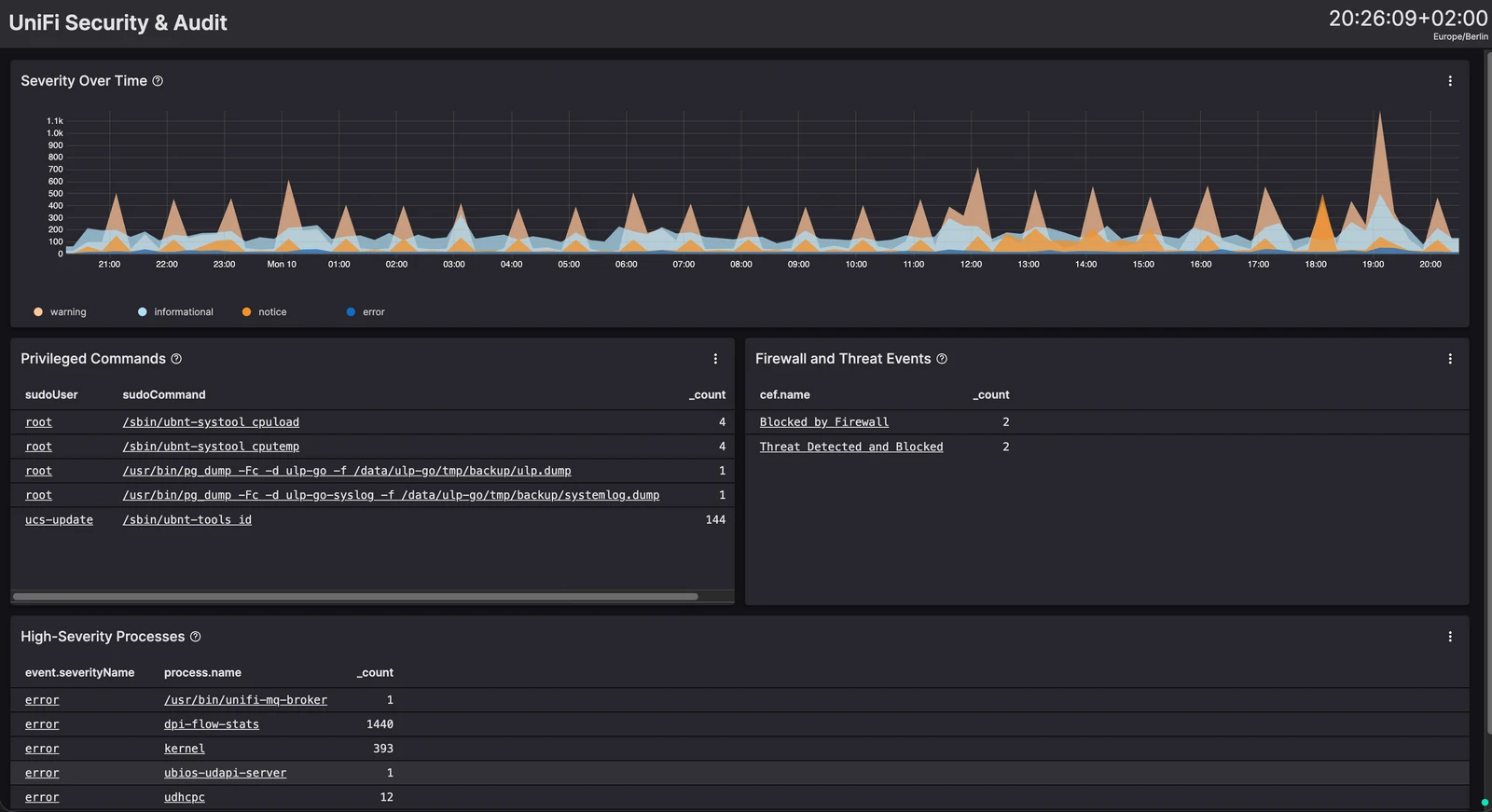
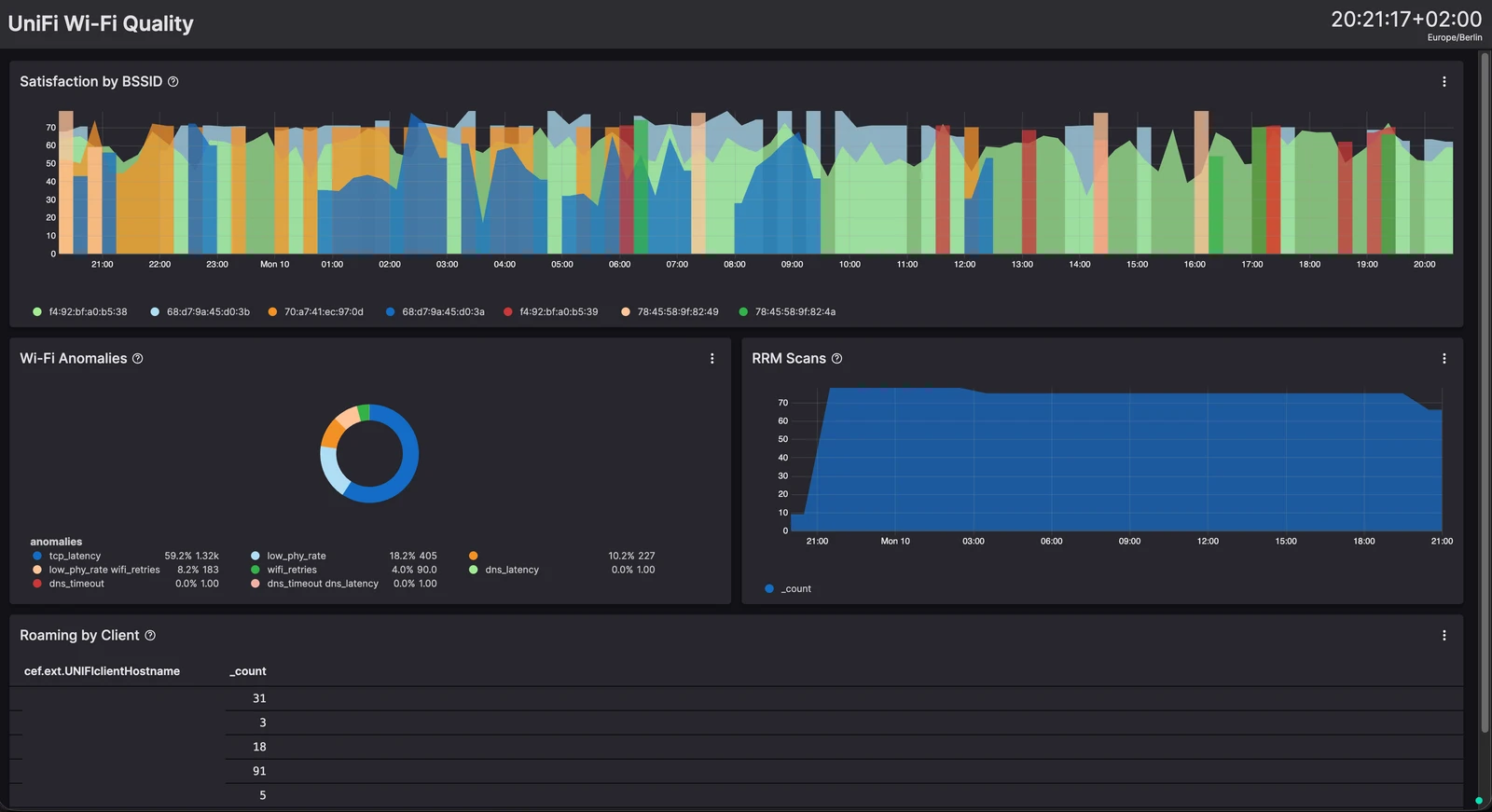
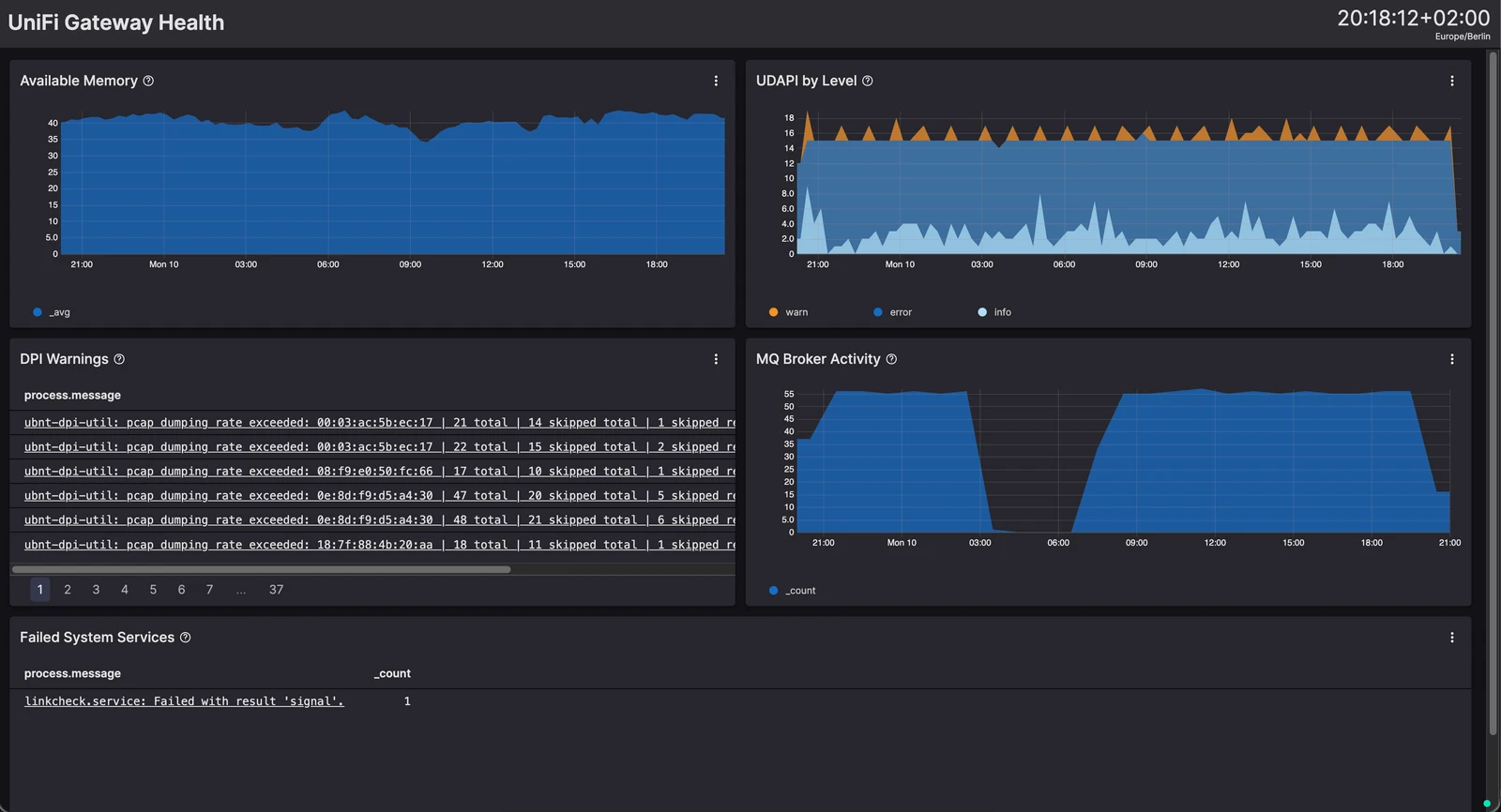
name: IT-Security
updateFrequency: never
timeSelector: {}
sharedTimeInterval:

name: User Dashboard timeSelector: defaultTimeJumpInMs: 30000 sharedTimeInterval:

Provides a centralized overview of user logins across virtual desktop environments. The dashboard links activity to specific desktop pools (e.g., Windows 7 and Windows 10) and tracks concurrent logins, enabling administrators to monitor users who are simultaneously accessing multiple pools. You can change the poolIds to match your environment.
@sebastian · 24.7.2026
Recently shared guides and walkthroughs.
Tested with LogScale Collector 1.11.x on Windows Server 2022. ## Goal
Step-by-step guide to get the LogScale Collector running as a Windows service, enrolled in Fleet Management, and shipping Windows Event Logs.
@sebastian · 3.8.2026